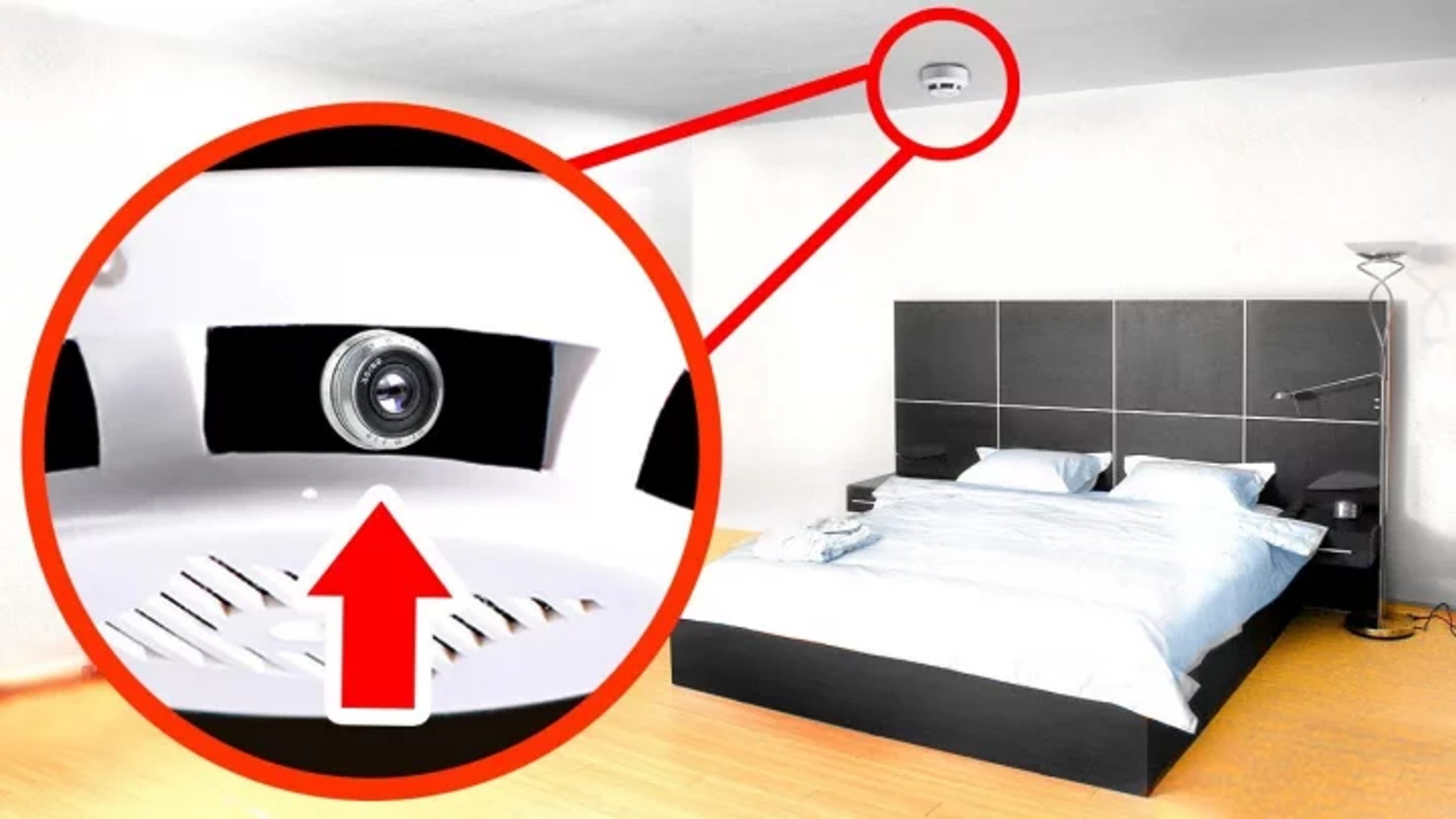
Travellers usually prefer to stay in hotels or resorts when they go away, and plenty of hotels can be found around tourist sites. But these hotel rooms can sometimes turn into a trap.
Cases of hidden cameras being installed in hotel rooms to record guests’ private moments have been occurring at home and abroad. This kind of activity is becoming a serious threat to personal safety. Being careful before settling in has therefore become essential.
It is important to know before you travel whether your hotel or resort room is free of hidden cameras. Many people think a separate, modern device is needed to detect them. In practice a smartphone can be an effective tool. Experts say a little awareness while travelling can save you from serious trouble.
The flashlight on the smartphone in your hand, for example, can be used to find a hidden camera lens. Light reflects off the lens of a hidden camera. Turn off all the lights in the room and switch on the flashlight, then shine it on places such as air vents, smoke detectors, clocks and mirrors. If a tiny reflection or something resembling a lens shows up in the light, it may be suspicious.
Detecting infrared light with the camera
The infrared light emitted by a hidden camera is not visible to the naked eye. It can, however, be detected with a smartphone camera. Turn off the room lights, switch on the phone’s camera and scan the suspicious spots. If a small point of light or a flash appears on the camera screen, it may be infrared light, indicating the presence of a hidden camera.
Using camera-detector apps
There are now many smartphone apps that can be used to detect hidden cameras. These apps can detect infrared light, magnetic fields or unusual signals. Downloading a reliable app and checking suspicious spots in the room can reveal a possible hidden camera.
Spotting suspicious devices on the Wi-Fi network
Many hidden cameras work over a Wi-Fi network. A smartphone can be used to identify devices connected to the room’s Wi-Fi network. Go to the smartphone’s Wi-Fi settings and look at the list of devices connected to the network. If the list shows a device with an unfamiliar or suspicious name, such as an IP camera or a camera, treat it with caution.
বাংলায় মূল প্রতিবেদন পড়ুন · Read the original Bengali report